Table Designer
The Table Designer lets you define a structured schema for any sheet, turning it into a typed database table with field-level properties and validation.
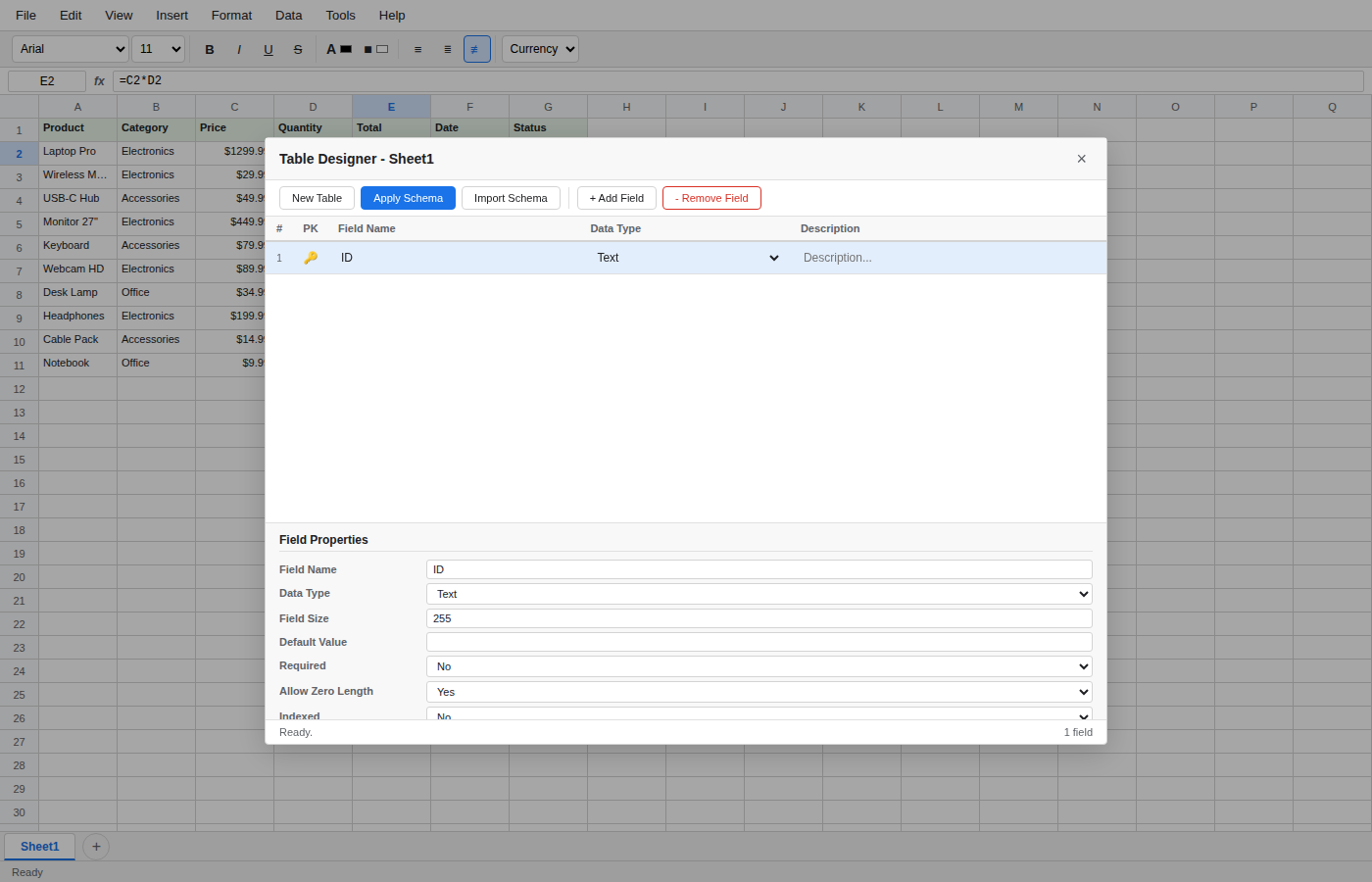
Opening the Table Designer
Open the Table Designer from the Database menu or from the Navigation Panel under Tables. The designer opens as a modal dialog over the spreadsheet.
Defining Fields
The upper grid lists every field (column) in the table. For each field you can set:
| Property | Description |
|---|---|
| Field Name | The column header name. |
| Data Type | One of: Text, Number, Integer, Date, Date/Time, Yes/No, Currency, AutoNumber, Memo, Attachment, Hyperlink, Lookup. |
| Description | Optional note explaining the field's purpose. |
Click + Add Field in the toolbar to append a new row, or - Remove Field to delete the selected field.
Field Properties
Select a field row to view its detailed properties in the lower panel:
- Field Size -- Maximum length for Text fields (default 255).
- Default Value -- Value applied automatically to new records.
- Required -- Whether the field must contain a value.
- Indexed -- No, Yes, or Yes (No Duplicates) for unique constraints.
- Validation Rule -- An expression that values must satisfy.
- Validation Text -- Error message shown when validation fails.
- Allow Zero Length -- Whether empty strings are permitted (Text fields).
Primary Key
Click the key icon next to any field to designate it as part of the primary key. Multiple fields can form a composite key. Primary-key fields are highlighted with a gold key indicator.
Auto-Detection
When you open the Table Designer on a sheet that already contains data, OpenSheets inspects the existing values and automatically detects the most likely data type for each column (e.g., all-integer columns become Integer, date-like values become Date).
Applying the Schema
Click Apply Schema to write the field names as column headers on the active sheet and store the schema metadata. The schema is saved with the workbook and used by other database features such as the Visual Query Designer and Relationship Manager.
Importing a Schema
Use the Import Schema button to load a table definition from another sheet or a previously exported schema.