Database Features
OpenSheets includes a suite of database-like features inspired by Microsoft Access, bringing relational database management capabilities directly into your spreadsheet environment.
Features
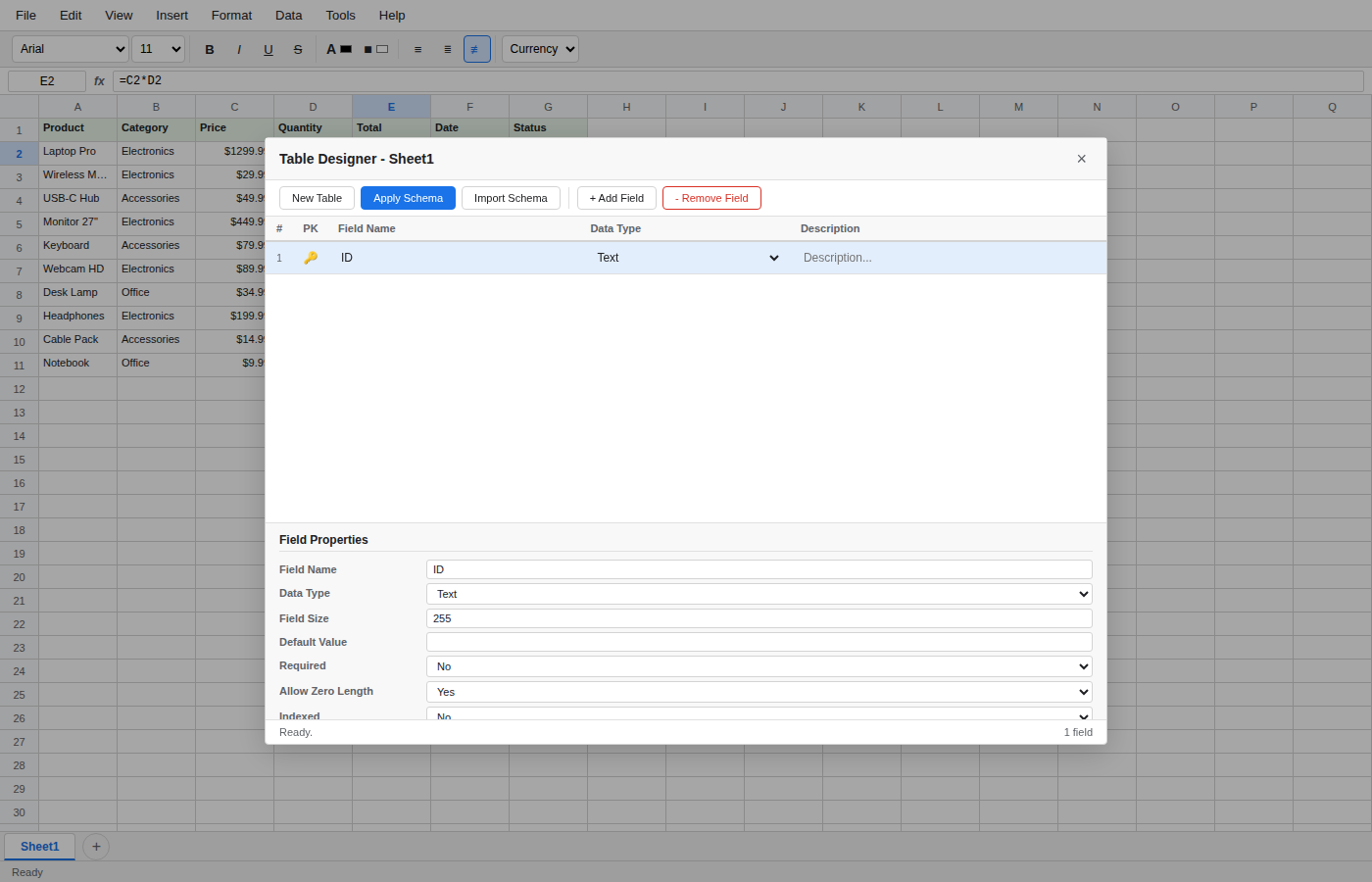
Table Designer
Define structured table schemas with typed fields, primary keys, validation rules, and indexing -- turning a plain spreadsheet into a structured data store.
Visual Query Designer
Build queries visually by adding tables to a canvas, selecting fields, setting criteria and sort orders, and applying aggregate functions -- no SQL required.
Report Designer
Create formatted, printable reports from your spreadsheet data with banded sections (headers, detail rows, footers), drag-and-drop elements, and live preview.
Macros
Automate repetitive tasks by building macros from a library of actions covering navigation, data operations, import/export, formatting, and control flow.
Relationships
Define entity-relationship diagrams between tables (sheets) by drawing connections between fields, specifying cardinality (one-to-one, one-to-many, many-to-many) and referential integrity rules.
Navigation Panel
Browse all database objects -- tables, queries, forms, reports, macros, and relationships -- from a single collapsible side panel with search and context menus.
Forms
Build data-entry forms linked to sheets, with a drag-and-drop designer and support for text, number, date, dropdown, checkbox, and other field types.